
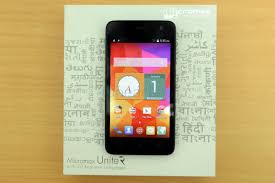
Hello to Tricky2hack! Here I have grab some trick to root your Micromax unite 2 and Xolo Q700S phone. Both have same method to ROOT, so we move further with Unite 2. Everyone is familiar with this phone because it had announced in comparison to "Moto E" which is very popular nowadays. These phone have grab some more specifications quite to moto e. So rooting moto e is quite easy but rooting micromax a106 is complicated. So step by step i have explained the method to root the micromax unite 2. If you like my work then simply like my Facebook Page. If you face any difficulty then simply ask me through comment link.

Follow the procedure with step by step. You need to download some files before proceeding further so first you Download the files the move on.
NOTE:- Before proceeding further you need to backup your all system data if any problem then you restore it. It will also brick your warranty and your device. You are responsible on your effort to do this things. I will not take guarantee of your device.
If you follow my way then it will be very easy and you don't need any backup your data.
1. Download the required Mediatek Drivers from here.
2. Download and copy/move SuperSu v1.99r3 in root of your phone's memory card.
3. Download the Carliv CWM based recovery from here.
4. Download & Open Sp Flash Tool and load this MT6582_Android_scatter.txt in it & it will look like this.
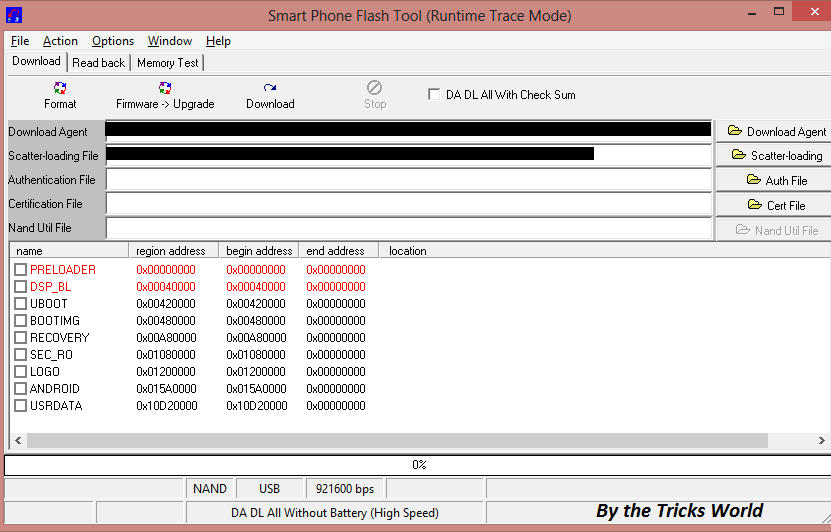 5. Now click on "Recovery" in Sp flash tools and select the downloaded Carliv CWM recovery.
6. Now here comes the tricky part. After loaded the recovery click on "Download" button which you have seen in sp flash tools.
7. After clicking on download button Remove your phone's battery and then connect it to your PC.
A green circle/download ok will confirm your flashing.
 8. Insert battery and press volume up + volume down + power button simultaneously. Then press volume up button to select recovery. Hence it is a touch based recovery so you can navigate using touch otherwise by the volumes button and power button. Also you can swipe right to go forward and swipe left to go backward in Carliv recovery.
9. Tap on install from sdcard and swipe right on your screen to go forward, and select the SuperSu.zip file and say yes to flash.
10. Reboot the phone and you are Done.
Simply use the same method to root Xolo Q700S. I have not tested it yet, but believe me because of same processor and ram it can be done by this method.
If you have like my work simply like me on Google+ and my Facebook Page.
Micromax Unite 2
Xolo Q700S
Follow the procedure with step by step. You need to download some files before proceeding further so first you Download the files the move on.
NOTE:- Before proceeding further you need to backup your all system data if any problem then you restore it. It will also brick your warranty and your device. You are responsible on your effort to do this things. I will not take guarantee of your device.
If you follow my way then it will be very easy and you don't need any backup your data.
1. Download the required Mediatek Drivers from here.
2. Download and copy/move SuperSu v1.99r3 in root of your phone's memory card.
3. Download the Carliv CWM based recovery from here.
4. Download & Open Sp Flash Tool and load this MT6582_Android_scatter.txt in it & it will look like this.
6. Now here comes the tricky part. After loaded the recovery click on "Download" button which you have seen in sp flash tools.
7. After clicking on download button Remove your phone's battery and then connect it to your PC.
A green circle/download ok will confirm your flashing.
9. Tap on install from sdcard and swipe right on your screen to go forward, and select the SuperSu.zip file and say yes to flash.
10. Reboot the phone and you are Done.
Simply use the same method to root Xolo Q700S. I have not tested it yet, but believe me because of same processor and ram it can be done by this method.
If you have like my work simply like me on Google+ and my Facebook Page.

0 comments:
Post a Comment